Top Customers
It is nice to know, and acknowledge, your top customers. Whether you simply want to tell them "Thanks" or to send them an extra coupon.
If you haven’t checked in a while, you may be surprised at who is at the top of the list and who is not. If someone who used to be near the top of your list is sliding down, knowing why could be critical to your future success. Or talking to someone who has moved up unexpectedly may help you market more effectively to others.
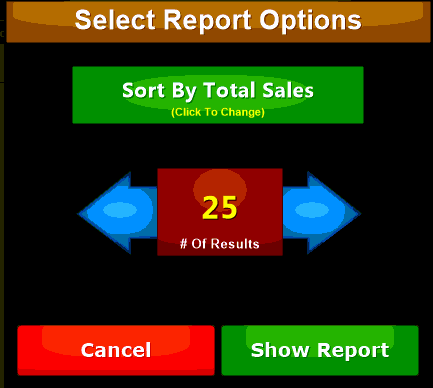
Use the  Button to filter the report output. The report can show from five (5) to one hundred (100) of your top customers:
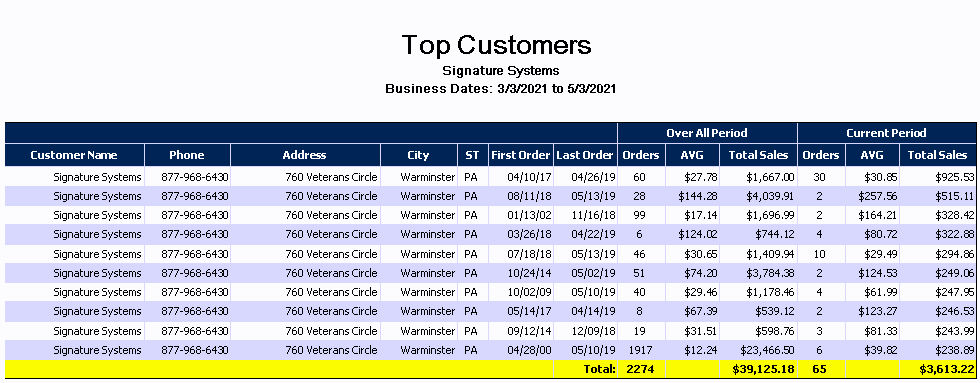
In addition to showing the contact information for the customer the report also contains:
|
First Order |
Date that customer first placed and order. Use this field to determine longevity of the customer contact. |
|
Last Order |
Shows when the last order by the customer was placed. |
|
Orders |
Displays the total number of orders the customer has placed. Along with sales value this is a good way to determine customer satisfaction. The first section shows total orders and the 'current period' section shows orders in the report date range. |
|
AVG |
let's you see the average sale amount for all time and the current report date range. |
|
Total Sales |
Shows total value of sales made by the customer for all time and the report range. |
Use the  Button to print out mailing labels to use in addressing correspondence to your customers from this list: