Print Override
The Print Override screen let's you set individual items to not print on receipts. This feature can also link main items with modifiers as well.
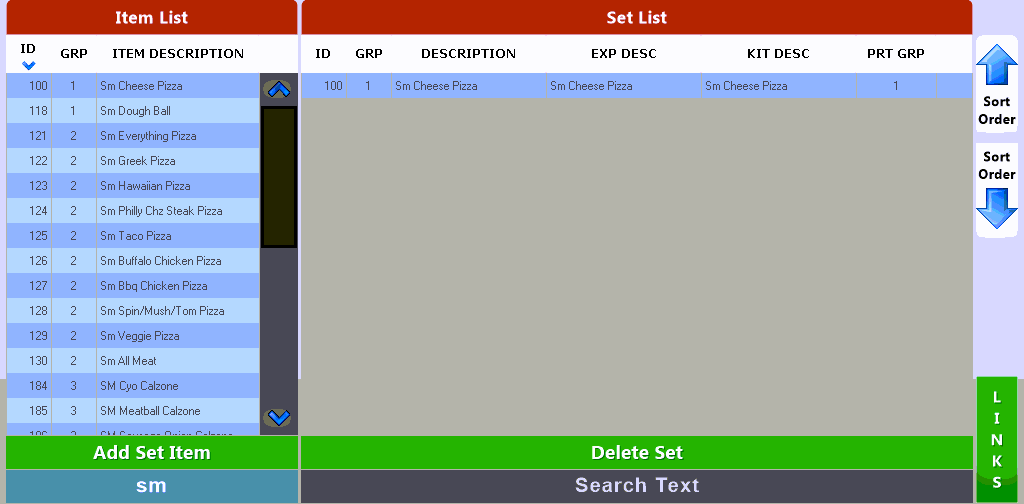
Select the Item that you wish to not print on receipts and other slips and press the  button to add it to the list. You can filter the list of items by typing in the desired text on the lower left portion of the screen.You can also delete an item from the list by selecting the
  button which will set it back to normal printing operation.
 - Using the LINKS button will bring up a list of modifiers that can be 'attached' to the main item selected in the list. This can only be selected if the item being edited is a normal item as you cannot link modifiers to other modifiers.

On the LINKS screen select the modifiers that you want to attach to the main set item. This will prevent the added modifiers from printing when the main set item is ordered. These modifiers will still print when selected with other items that are not included on this Print Override list.
If you choose the  button located at the top of the screen it will add every mod item in the system to the list so use with caution.