VDU
A Video Display Unit (VDU) is a device which communicates order information to a preparation or expediting area. Instead of orders just printing on a printer in the kitchen or prep area, orders instead show on monitors that enable staff to see what needs to be prepared.
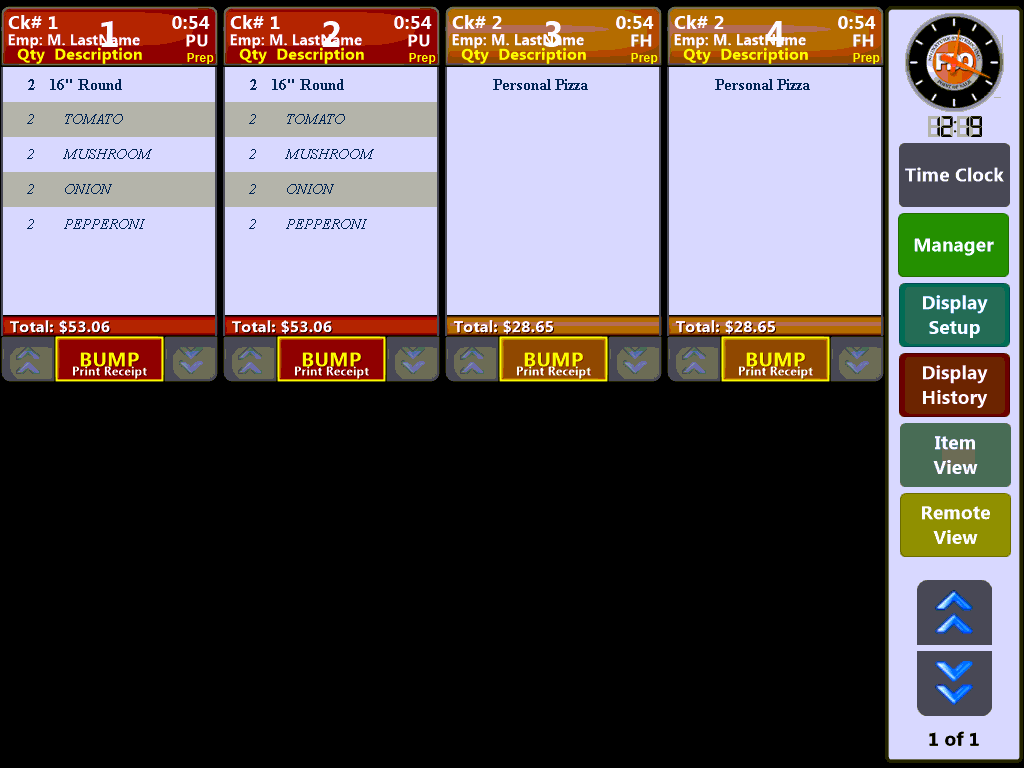
VDU operations can differ depending on your site's configuration and can show current and future orders if your site is setup to display them.
The general flow of orders will follow a standard pattern:
- A cashier or wait staff enters in an order.
- The Name of the Customer who placed the order.
- When an order is sent it is displayed on the VDU in sequence next to the previous order, this continues for each additional order.
- Kitchen staff will view the order on the VDU prompting them to begin preparing the items ordered.
- Warnings or states of preparation are indicated by color coding.
- When the order is prepared, staff "Bump" the order to the next stage. This is done via the Bump Bar buttons.
- Depending on how your stages are setup "bumping" and order may perform different functions:
- Start a timer that will change the order color on the display to warn of late or delayed preparation
- Print a pick-up ticket
- Send the order to another VDU
In general orders will appear on your VDU in the following format but your site may have slight differences depending on local configuration:
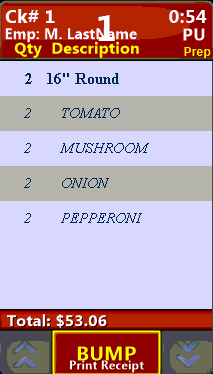
If you have too many open orders to display on your VDU you can use the blue Arrow Keys to scroll through your screen.

Removing an order from the VDU can be done via touch screen or by using a Bump Bar by selecting the button that corresponds to the displayed order number:
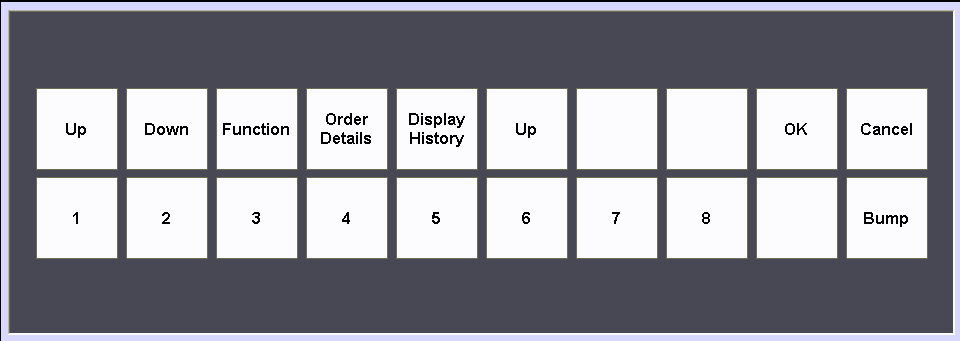
Bump bar configuration can be changed to meet your individual setup needs.