Adjust Reasons
Everybody makes mistakes that is just a fact of life. However, you need to track who made them and why and that is what the Adjust Reasons screen is for. Here is where you set the list of reasons for such things as voids, time clock edits and why a customer was issued credit.
Adjustment Reasons are used on reports to designate why an adjustment was made. When making an adjustment, users are required to choose from one of the reasons listed here.
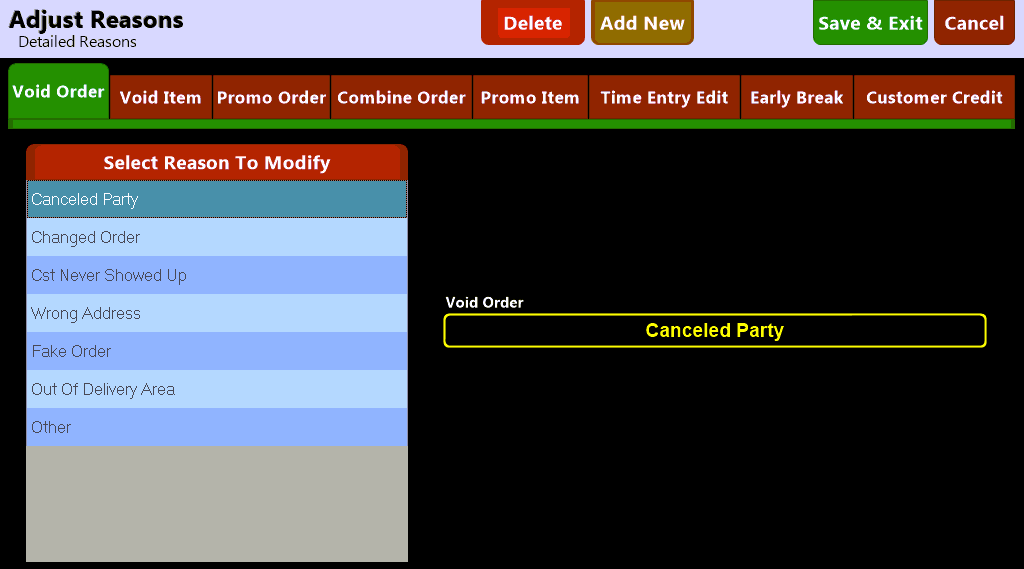
The Adjust Reasons screen allows you to set the available choices for:
- Voided Orders
- Voided Items
- Promo Orders
- Combined Orders
- Promo Items
- Time Entry Edits
- Early Break
- Customer Credit

Choosing the  button along the top of the screen allows you to add a new adjustment reason by entering a name:

 Note: Once an Adjustment Reason has been entered and saved it cannot be edited. If you wish to change the name of the reason you must delete it by selecting the
  button and adding a new reason.