Bar Setup
The Bar Setup section is where you go to setup and edit your Bar configuration settings such as number of sections and section layout.
The main section of the Bar Editor gives you a visual representation of your Bar area sections and allows you to move bar stools into position using a familiar 'Windows' like drag and drop interface using the following steps:
- Select the bar stool using either a mouse or by utilizing a touch screen, your finger
- Lift your finger or mouse off of the bar stool to highlight it (edge turns yellow to show is highlighted)
- Select the bar stool again
- Drag bar stool to new position and lift finger or mouse to release
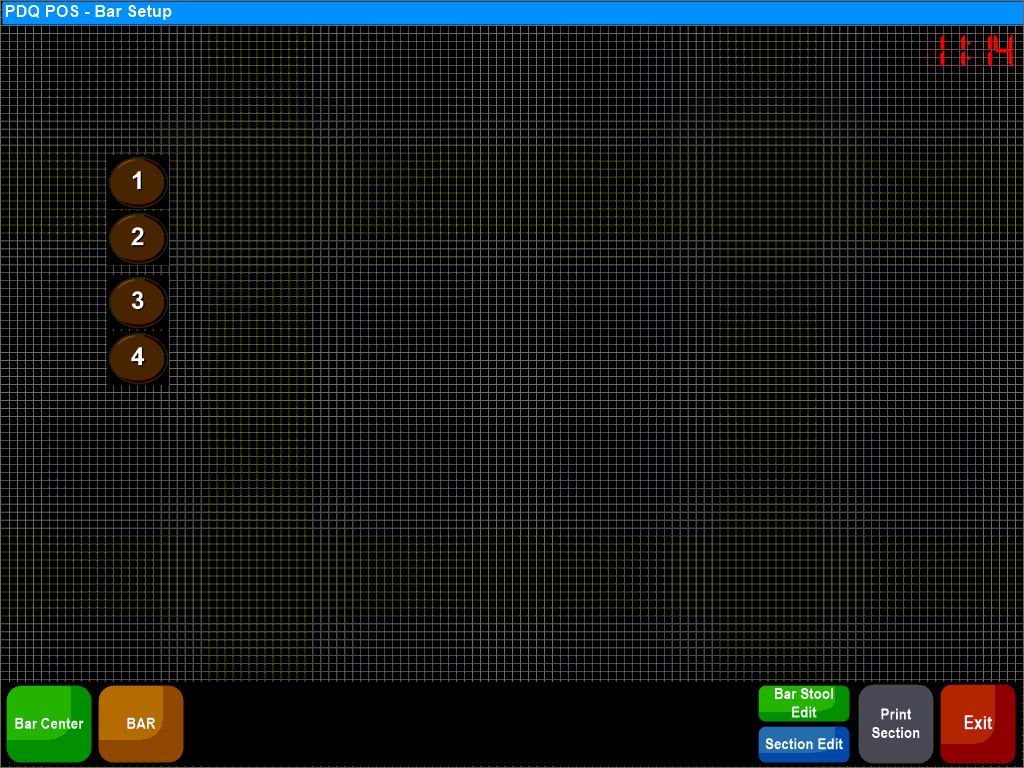
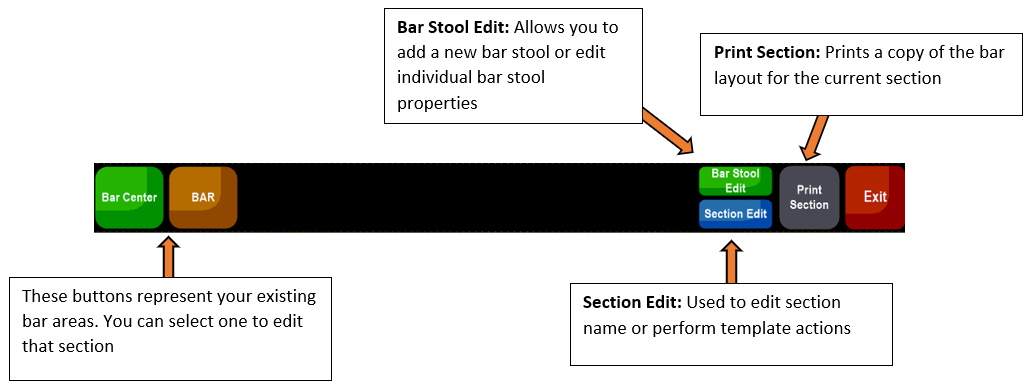
The buttons along the bottom of the screen allow you to change other aspects of your bar stool configuration:
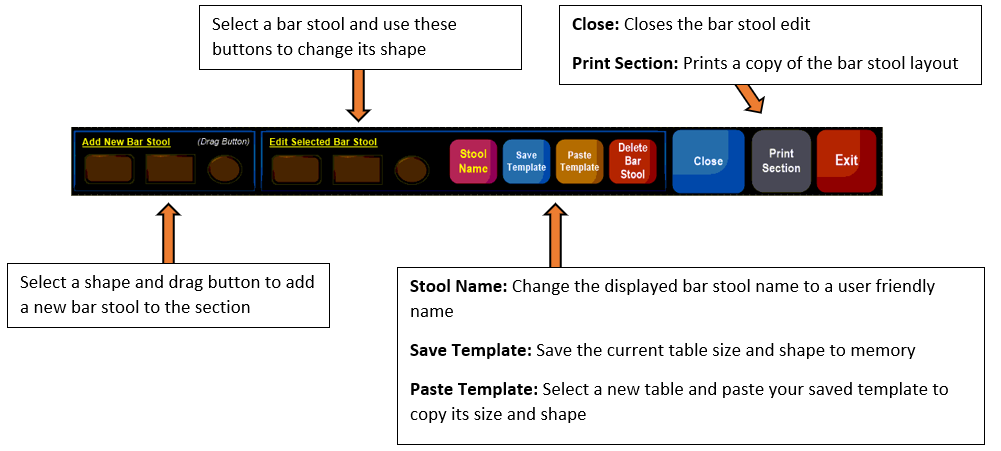
Bar Stool Edit:
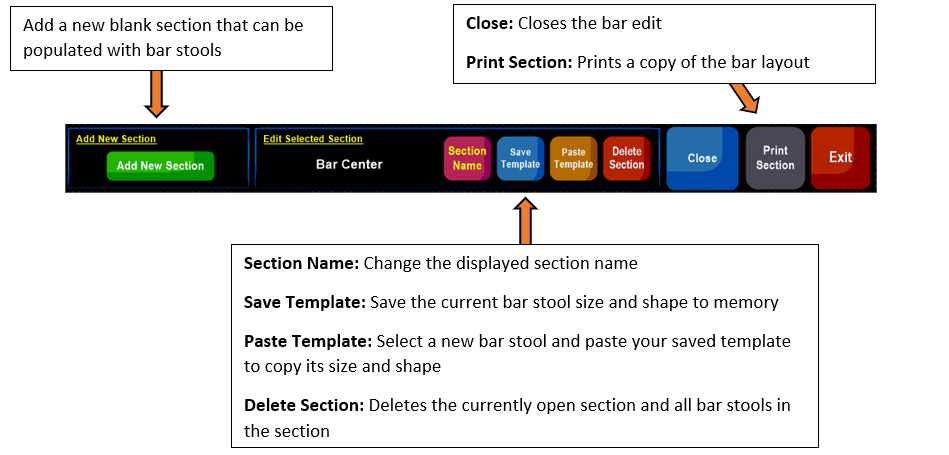
Section Edit: