Completing the transaction
Cash Payment:
 The dispenser will now show as Authorized on the Pump Console after payment has been accepted.
By selecting the  option on the main screen you will gain access to the payment screen where you can select a number of payment options:
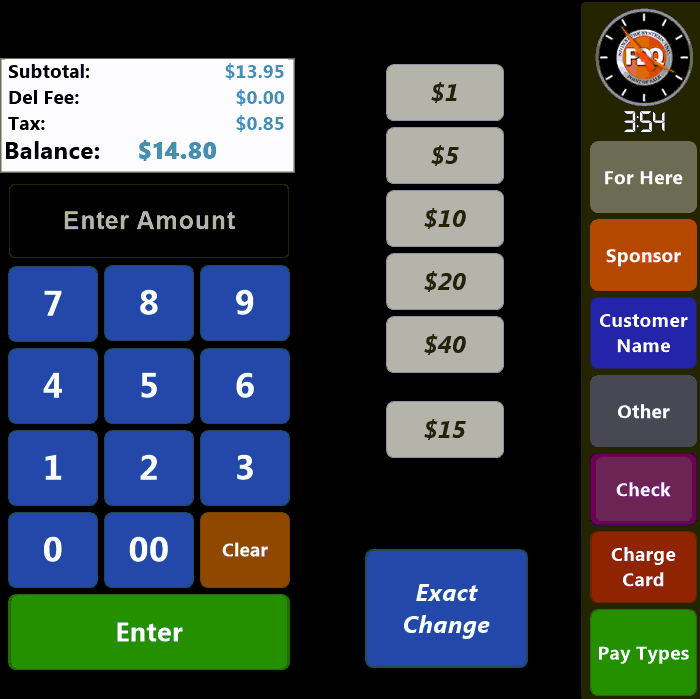
The order total is displayed above the number pad. A payment value can be manually entered via the numeric buttons or by using one of the 'speed keys' located in the center of the screen. These speed keys will tender the amount reflected. The bottom speed key is dynamic and will reflect the order total rounded up to the next dollar amount.
Additionally, you can use the  button to tender the order with the exact amount owed.
The  button opens the interface that allows you to accept a Credit Card as payment:
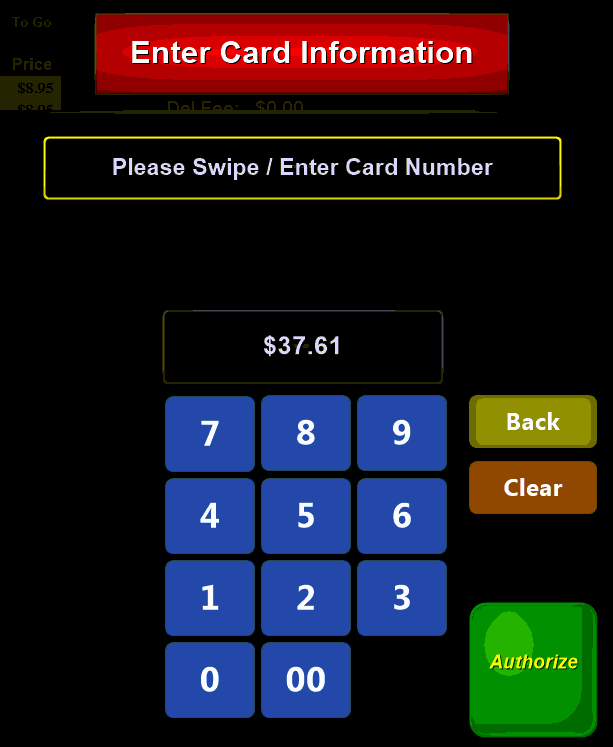
Credit Card payments are taken on an external credit terminal. Enter the amount of the payment and select the green Authorize button to send the information to the external terminal. Complete the payment on the external terminal.
\XXXXXXXXXXXXXXXXXXXXXXXXXXXXXXXXXXXXXXXXXXXXXXXXXXXXXXXXXXXXXXXXXXXXXXXXXXXXXXXXXXXXXXXXX
Credit Payment:
- From the Pay Order screen, press Charge Card.
- Follow normal credit card processing steps.
- The dispenser will be authorized automatically