DMR
The Driver Mileage Reimbursements (DMR) report shows the reimbursement amount owed to drivers based on the miles driven during their deliveries.
DMR can be calculated in several different ways including as a percentage, or flat fee. This can be set up under: Settings\Advanced Config
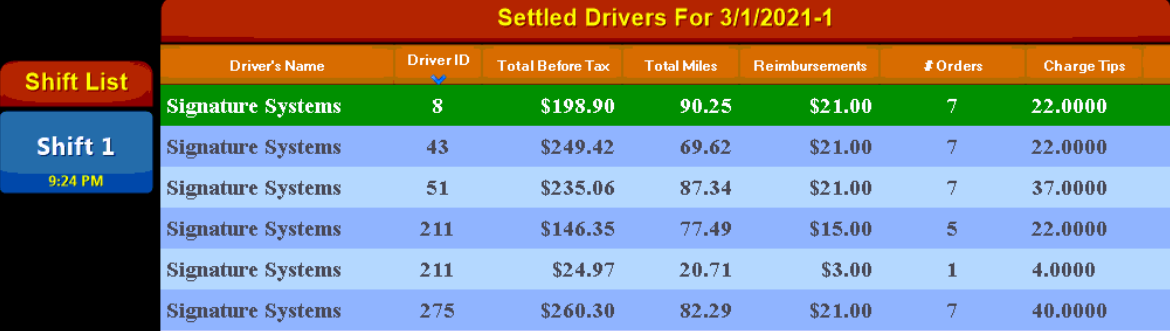

|
Date and Shift |
Shows the Date and currently selected shift of the report (EX: 3/1/2021-1 = shift #1 on 3/21) |
|
Shift List |
Displays historical shifts for the date of the report |
|
Driver's Name |
Shows the name of the driver who performed the deliveries |
|
Driver ID |
Contains the employee number of the associated driver |
|
Total Before Tax |
Displays total sales for the driver (pre-tax total) |
|
Total Miles |
Shows the total miles that the driver has deliveries for based on address mapping |
|
Reimbursements |
Displays total amount owed in reimbursements to the driver |
|
# Orders |
Shows the number of orders the driver delivered during the selected shift that they are owed reimbursement for |
|
Charge Tips |
Shows the amount of tips charged on customer's credit cards owed to the driver |
|
Total Reimbursements: |
Displays the total amount owed to all drivers for the referenced shift (not including charge tips) |