Delayed Orders
Delayed Orders are ones that have been entered into the system but are not going to be made available for the customer until a future date or time. Orders can be delayed for later in the current day or for several months into the future. This feature is useful for large orders to give you time to increase staff to meet production goals.
Delayed orders appear on the kitchen Video Display Units (VDU) and printers at the time and date designated.
 It is recommended that when a customer is paying for a delayed order with a charge card to not apply a tip until the order is finalized and delivered. This will leave the charge open in an "Authorized" state and allow you to make any changes to the transaction as needed. For instance, if the customer adds or subtracts items or if you need to add a surcharge.
Use the  button to show a list of all of each item needed for all pending orders for the report range:
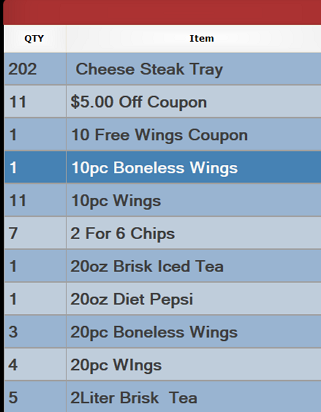
or filter to only show voided orders with the  button.
Additional options allow you to select a specific date to see orders from or to print out the order list.

The main portion of the screen shows the Date / Time that the order is due to become active in the system. You can also see the Transaction Type, Customer information, Total amount of the order and any balance remaining due.
Voided orders will display with a red  background and yellow text so they stand out from normal delayed orders.
You can also see any remaining balance on your orders  . Any order with a green background has been paid in full, a dark red background on the balance field indicates an unpaid balance remaining.

Selecting an order will bring up additional functions that allow you to  Print the check,
  Open Check for editing,
  View the items on the check or Cancel the order selection (this does not cancel the order itself).
- Will reopen the check in the normal order taker screen and allow you to perform such actions as adding or removing items, applying payments or changing the delay time.
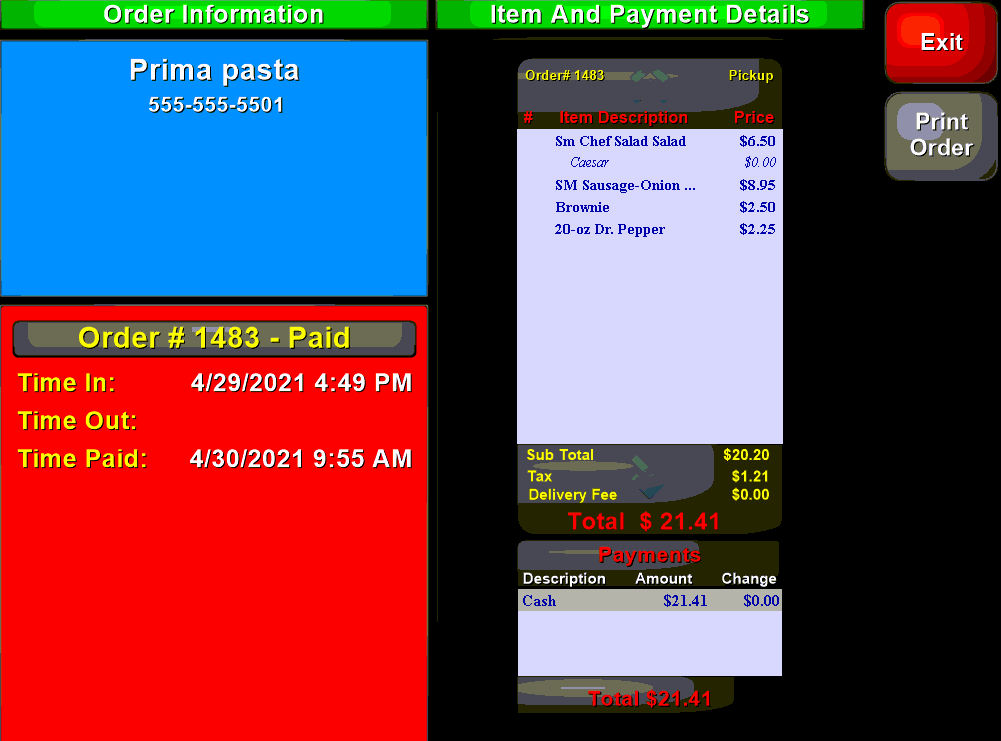
- Will open a new screen that allows you to view information about the order items, customer contact and payment information: