Store Hours
You can use the Store Hours screen to control when your store is open or closed for individual Transaction Types. This feature is currently enabled for Kiosk self-service mode only but will be expanded for additional modes in a future release.
When enabled this allows you to limit the times that your self-serve kiosk system can be used.
The main screen shows you all of the hours you have setup for your store:
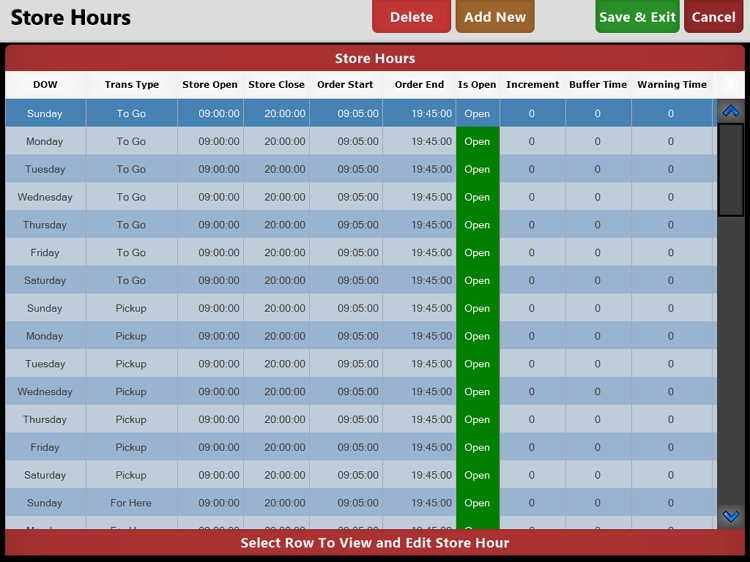
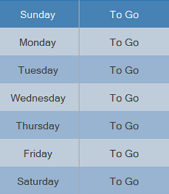
Each order Transaction Type will have its own entry for each day of the week. For example you can see from the following screenshot that the Transaction Type "To Go" is set to be active for each day of the week:
To select your Transaction Types and include hours for them press the  from the top of the screen and choose the Transaction Types appropriate for your store. These can always be edited later as your needs dictate:
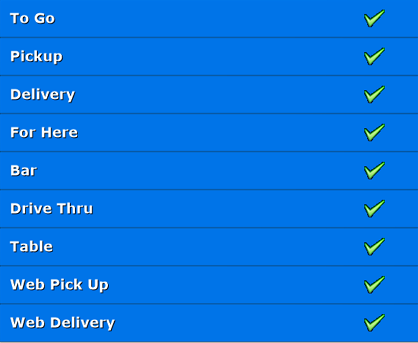
Once you have selected your Transaction Types use the  button to add them to your active store hours and return to the main screen.
From this screen each Transaction Type type can be edited for each day.
Select the  button for each Transaction Type to change if the store is open or closed for that type for that day.

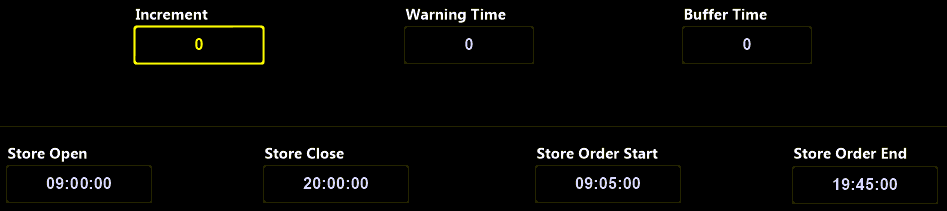
Select the Day and Transaction Type you wish to change to open the edit screen:
|
Increment |
Sets the time slots increments that users can choose for their orders.
For example: if set to 10 users would be able to place an order every 10 minutes, set to 15 and orders can be placed every 15 minutes |
|
Warning Time |
Use the 'Warning Time' setting to alert your users of the Order Start and End times. For example: if set to '15' and the 'Store Order End' setting is for 19:45 users will be alerted from 19:30 that orders will soon be unable to be placed as the store is closing. |
|
Buffer Time |
Amount of time to append to all orders. This is a "floating" order buffer that will reset after each order and is designed to limit the speed in which orders can be placed. For example: if the buffer is set for 15 minutes and the time is 2:30 your earliest available order time would be 2:45 |
|
Store Open |
Time that the store Opens on this Day of the Week for the associated Order Transaction Type |
|
Store Close |
Time that the store Closes on this Day of the Week for the associated Order Transaction Type |
|
Store Order Start |
Time either before or after the Store's 'Opening Time' that an order can be placed. For example: if the store opens at 0900 and the Order Start time is set to 0850 a customer can start their order at that time and choose the order time based on the Increment and Buffer settings. |
|
Store Order End |
Time either before or after the Store's 'Closing Time' that an order can be placed. For example: if the store Closes at 2000 and the Order End time is set to 1945 a customer cannot start their order past that time of 1945. |