Hourly Sales
The 'Hourly Sales Break Down' report shows you sales and labor information based on a chosen period of time, including labor percentage and Transaction Type information.
Report Options:
|
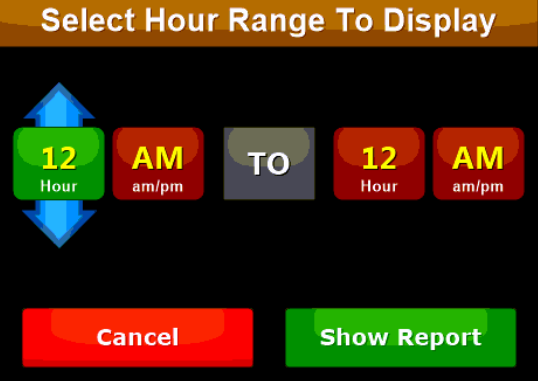
Select Hour Range to Display |
Select the hour range of the report to display. NOTE: Only hours with sales data will be reflected on the report |
|
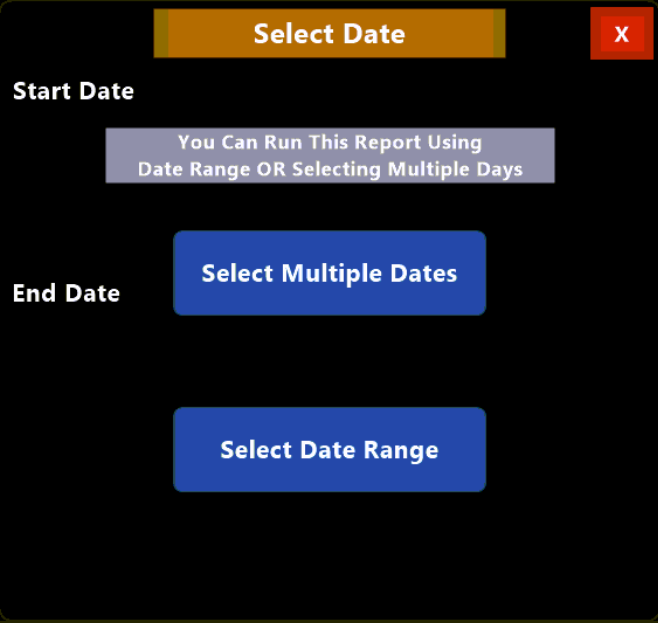
Select Multiple Dates |
Allows you to select various dates to report. For example, you can choose to show date ranges such as the first and third weeks of a month or choose the same days of the week such as every Tuesday in a month. |
|
Select Date Range |
let's you to select a single date range such as the 1st through the 7th. |
|
Sale Hour |
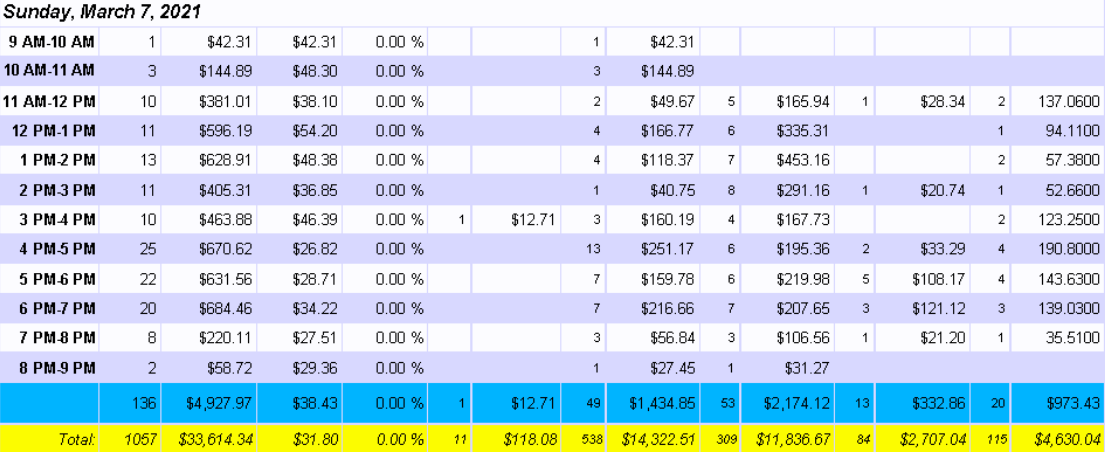
This column shows the hour range that the row is reporting. NOTE: Only hours with sales data will be reflected on the report |
|
Orders |
Shows the total number of orders sold for the associated hour |
|
Total |
This column shows the total value of all sales made for the associated hour |
|
Avg Sales |
Displays the average sale value for the associated hour |
|
Labor % |
Shows Labor for the associated hour as a percentage of total sales for the hour |
|
In Shop |
This column shows number and value of orders that were placed 'In house' for the associated hour |
|
Pickup |
Displays number and value of orders that were placed with the 'Pickup' Transaction Type for the associated hour |
|
Delivery |
This column shows number and value of orders that were placed with the 'Delivery' Transaction Type for the associated hour |
|
Web Pickup |
Shows number and value of orders that were placed with the 'Web Pickup' Transaction Type for the associated hour |
|
Web Delivery |
Displays number and value of orders that were placed with the 'Web Delivery' Transaction Type for the associated hour |
|
Totals |
This row shows the totals in for the individually referenced day |
|
Total |
Shows the totals for the range of the report (all days reported) |